What Is a Trading Platform? How the Software Behind Buying and Selling Shares Works
A trading platform is the screen you look at and the software behind it that lets you buy and sell shares — whether that's on a laptop, a desktop app, or your phone.
TL;DR: A trading platform is the software interface between you and the stock market — the screen where you check prices, choose what to buy or sell, pick an order type, and watch your portfolio. It comes in three main forms (web, desktop, mobile), and behind the friendly buttons sits a serious piece of engineering that has to handle real-time prices and real orders without mistakes.
Every time you hear someone say they're "on their trading app" or "logged into their platform," they're talking about the same basic thing: a piece of software standing between them and the actual stock market. It's easy to take that software for granted — you tap a button and a trade happens — but understanding what's really going on underneath makes the whole idea of investing a lot less mysterious.
It also helps to know that a trading platform isn't a special, one-off category of app. It's a type of SaaS product — software hosted in the cloud, updated continuously, and accessed through a subscription or account rather than something you install once and forget about. Building one properly, with live data feeds and real money moving through it, takes a SaaS development team that understands how to keep that kind of system fast, accurate and secure around the clock. That's true whether the platform is run by a major bank or a scrappy fintech startup.
What Is a Trading Platform, Exactly?
A trading platform is the software — website, desktop program, or mobile app — that gives you access to financial markets so you can view prices, research investments, and place orders to buy or sell. It is not the market itself. The market is where prices are actually set and trades are actually matched; the platform is simply your window into that market and the tool you use to interact with it.
That distinction matters more than it might seem. The platform can go down for maintenance, display a slightly delayed price, or have a clunky layout — and the market keeps moving regardless, because the platform is a layer sitting on top of it, not the thing itself. If you want a completely risk-free way to get a feel for that layer before anything real is on the line, the Challenge's virtual portfolio rules let you use a realistic practice version without a single real pound changing hands.
Every platform, however it looks on screen, is built around the same small set of jobs: show you live-ish prices, let you research what you're looking at, let you place an order, and show you what you currently own. Everything else — news feeds, charts, alerts, league tables — is really just extra layered on top of those four core jobs.
How Does a Trading Platform Actually Place Your Order?
When you tap "buy" on a trading platform, nothing happens at that exact moment on a stock exchange somewhere — your tap starts a short chain of events. First, the platform packages up what you've asked for (which share, how many, what price conditions) into an order. Next, it sends that order to a broker, which is the regulated middleman responsible for routing it to where trades actually get matched. From there, the order reaches an exchange or a market maker, where it's matched against someone willing to take the other side of the trade, and the trade is executed. The confirmation that lands back on your screen a moment later is the end of that whole round trip, even though it feels instant.
Market Orders vs Limit Orders
The two most common order types work quite differently. A market order says "buy or sell this right now, at whatever the current price happens to be" — it prioritises speed over an exact price, and it's the simplest option when you just want to act quickly. A limit order says "only buy or sell this at my chosen price, or better" — it prioritises price control over speed, and it might not execute at all if the market never reaches your chosen level. Neither is automatically the "right" choice; it depends on whether speed or price control matters more to you in that moment.
What a Stop-Loss Order Does
There's a third order type worth knowing early on, because it's built specifically to manage downside risk rather than to get you into a position. It's called a stop-loss order, and it automatically triggers a sale if a share's price falls to a level you set in advance — a kind of pre-agreed exit plan that doesn't rely on you watching the screen every minute of the day.
The Three Types of Trading Platform
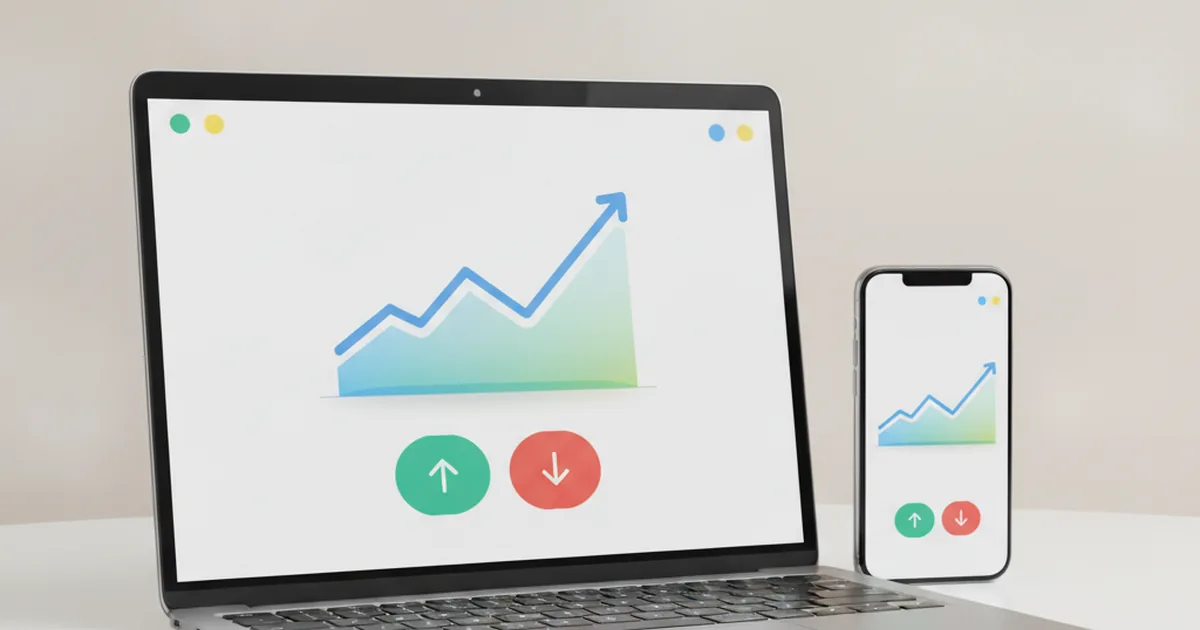
Most providers offer their trading platform in more than one form, and all of them connect to the exact same underlying account — buy a share on your phone and it'll show up straight away if you log in on a laptop later. The table below breaks down the three common forms.
| Platform type | What it's good for | Best suited to |
|---|---|---|
| Web platform | Runs in any browser, no install needed, usually the most feature-complete view | Research and detailed portfolio checks on a bigger screen |
| Desktop application | Installed software, often faster and more advanced, built for frequent use | Heavier, more active users who trade often |
| Mobile app | Quick checks and simple orders from anywhere, push alerts | Checking prices and your portfolio on the go |
What Features Actually Matter on a Trading Platform
Strip away the branding and the colour schemes, and nearly every platform is really judged on a handful of core features.
Real-Time Prices and Charts
Share prices change constantly while markets are open, so a trading platform has to keep pulling in fresh price data and displaying it without lag. Charts turn that stream of numbers into something you can actually read at a glance. Knowing how to read a live share price — and understanding that what you're seeing can be a few seconds behind the absolute latest trade — is a basic skill worth having before you rely on any screen too heavily.
Your Portfolio Dashboard
This is the screen that shows everything you currently hold, how much it's worth right now, and how that compares with what you originally paid. A good dashboard makes it obvious, at a glance, whether you're up or down overall and on each individual holding, without you having to do the maths yourself.
Order History and Alerts
Every trade you've ever placed gets logged, which matters for tracking your own decisions over time and learning from them. Many platforms also let you set price alerts, so you find out when a share crosses a level you care about instead of having to keep refreshing the screen all day.
Why Regulation Matters (Even If You're Not Trading Real Money Yet)
In the UK, firms that offer real trading platforms to the public are overseen by the Financial Conduct Authority (FCA), the regulator responsible for setting rules on how client money is protected and how firms are expected to treat their customers fairly. That regulation doesn't stop share prices from going up or down — nothing can do that — but it does mean the platform itself has to meet strict standards for how it handles your money and your account. It's a good habit to notice, later on, whether a real platform you're considering is properly regulated before you ever put real money anywhere near it.
Do You Need a Trading Platform to Use Student Investor?
You've actually already been using a simplified version of one. The Student Investor Challenge dashboard — where you check share prices, place a virtual buy or sell, and watch your portfolio's value change — is built on exactly the same underlying ideas as a real trading platform, just without any real money involved and without the fees, minimum deposits or regulatory paperwork that come with the real thing. It's a genuine, risk-free way to practise the mechanics before they ever matter with actual pounds.
Frequently Asked Questions
Is a trading platform the same as a stock exchange?
No. A stock exchange, like the London Stock Exchange, is where shares are actually bought and sold and where their prices are set. A trading platform is the software you use to send your order there — it's the front door, not the building itself.
Can you lose money just by using a trading platform?
Simply opening a trading platform and looking at prices doesn't put your money at risk — you only take on risk once you actually buy an investment, and its value then moves with the market. Some platforms also charge fees for trading or holding an account, which is worth checking before you commit real money.
Do professional investors use the same platforms as beginners?
Not usually. Professional traders at banks and investment firms typically use specialised, high-speed platforms built for large volumes and fast execution. Everyday investors use simpler web and mobile platforms designed for occasional, smaller trades — the underlying idea is the same, but the tools are built for very different jobs.
What's the difference between a trading platform and a trading app?
A trading app is usually just the mobile version of a trading platform — the same account and the same underlying system, built for a smaller screen. Most providers today offer their platform in several forms (web, desktop, mobile app) that all connect to the same account.
Key Takeaways
- A trading platform is the software layer between you and the market — not the market itself.
- Orders travel from platform → broker → exchange or market maker, and order type (market, limit, stop-loss) changes how that journey plays out.
- Web, desktop and mobile are just different forms of the same underlying account and system.
- Real-time prices, a clear portfolio dashboard, and order history are the features that actually matter day to day.
Next time you hear "trading platform," you'll know it's really just well-engineered software sitting between you and the market — one job, several screens, and the same careful engineering underneath every version of it.
Learn it by playing it
Build a virtual £100,000 portfolio and get a feel for a real trading platform's screens, orders and prices — with zero risk.
See how it works