What Is SaaS? (And Why Your Investing App Is One)
SaaS stands for "software as a service" — software you rent through a subscription rather than buy once and own forever. If you have ever used an app that updates itself, works the same way on your phone and your laptop, and stops working the moment you cancel your plan, you have already used SaaS.
TL;DR: SaaS means you are paying for access to software that runs on someone else's servers, not for a copy you install and keep. That's why it updates itself automatically, works identically across your devices, and disappears the moment the subscription stops. Investing apps — including the one behind the Student Investor Challenge — are built this exact way.
Before subscriptions took over, buying software meant walking into a shop, picking up a box with a disc inside, and installing it once on one computer. After that, the software was yours — it worked whether or not you ever connected to the internet again, and it never changed unless you bought the next version yourself.
Almost nothing works that way anymore, and the investing app you use for the Student Investor Challenge is a good example of why. Behind the scenes, someone still has to design, build and keep updating a SaaS product like this — which is exactly the kind of work YuSMP Group's SaaS development team does for companies building subscription software from scratch.
What does "SaaS" actually stand for?
SaaS is short for software as a service. The simplest way to picture it: instead of buying a program and owning it outright, you are paying for ongoing access to a service that someone else builds, hosts and keeps running for you.
That's a genuinely different relationship with software than the "install it once and own it forever" model that came before. You never really hold a copy of a SaaS product in your hands — you log in to use it, and when you stop paying or stop logging in, your access stops too.
How is SaaS different from the software you used to buy in a box?
Older software was a one-off purchase. You paid once, installed the program on a specific machine, and that was mostly the end of the relationship between you and whoever made it — unless you chose to buy an upgrade later. Everything the program needed to run lived on your own device.
SaaS flips that around. You pay on an ongoing basis — often monthly or yearly — for access to a service that runs mostly somewhere else, on infrastructure you never see. Your device becomes more of a window into the service than the place where the software actually lives.
Why updates just... appear
With old-style software, getting a new feature usually meant downloading and installing an update yourself, sometimes waiting weeks for it. With SaaS, the company running the service can push a change to its own servers, and suddenly everyone using the app has the new version — no download, no install, sometimes no warning at all. That's not magic; it's simply that most of the "real" software was never sitting on your device in the first place.
What happens if you stop paying
This is the part that catches people out. With a box of software, stopping payment (because there was none to begin with, after the first purchase) changed nothing — the program kept working. With SaaS, your access is tied directly to an active subscription or account. Cancel it, and the app typically locks you out, even though nothing about your device has changed. You were always renting, not owning.
Where does SaaS actually run?
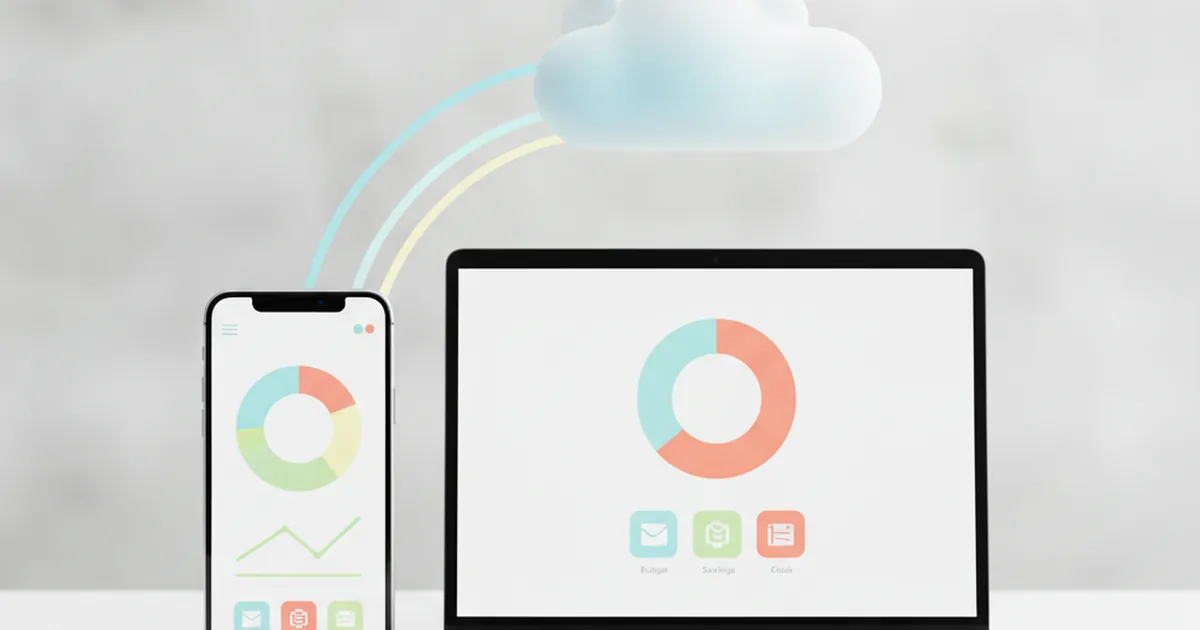
When people say an app "runs in the cloud," they mean it runs on servers owned and maintained by someone else — usually in large data centres, not in the building where you happen to be sitting. Your phone or laptop sends a request, a distant server does the real work and sends back an answer, and the whole exchange usually takes well under a second.
This is also why a SaaS app can look and behave identically whether you open it on a phone, a tablet or a laptop: the heavy lifting happens on the same shared servers every time, and your device is really just a screen and a way to type.
IaaS, PaaS and SaaS — what's the real difference?
These three terms get thrown around together, and a simple analogy makes the difference click:
- IaaS (infrastructure as a service) is like renting an empty plot of land. A company gets raw computing power — servers, storage, networking — and has to build everything itself on top of it.
- PaaS (platform as a service) is like renting a house with the plumbing, electrics and foundations already done. Developers still have to decorate and furnish it — write the actual application — but they are not laying bricks or wiring sockets.
- SaaS (software as a service) is like moving into a fully furnished flat and just living there. You open the door (log in) and everything is ready to use. You never see the land, the foundations or the furniture supplier — you just use the finished product.
Every SaaS app is quietly sitting on top of PaaS and IaaS layers that someone else designed; you only ever interact with the top one. For a more formal definition of these layers, the United States government's official glossary of cloud computing terms (NIST SP 800-145) is worth a skim if you want the original source.
Why your investing app on the Challenge works the same way
When you check a share price during the Student Investor Challenge and it has changed since you last looked, or your position in the league table moves after someone else trades, none of that happened inside your phone. It happened on a server, and your app simply displayed the result — the same mechanism that makes some apps show live prices while others lag behind.
The same goes for the research tools students use to check a company before buying — many of the dashboards and summaries described in our guide to how AI tools help you research shares are themselves SaaS products, pulling fresh data from a shared service rather than storing it locally.
Every rule update, every new league, every change to how your virtual £100,000 portfolio is scored happens on the service side, and reaches every team playing at once — which is precisely the SaaS pattern in action.
What are the advantages of SaaS?
- Access from any device. Log in from a phone, a school laptop or a tablet and get the same experience, because the real software never actually lived on any of them.
- Automatic updates. New features and bug fixes roll out centrally, so you are never stuck running an old, broken version.
- Nothing to install. There's no setup process, no storage taken up on your device, and nothing to keep track of beyond your login.
- A team fixing problems for you. If something breaks, engineers on the other end can usually fix it for everyone at once, often before most users even notice.
Is there a downside?
SaaS isn't free of trade-offs, and it's worth being honest about them rather than treating the model as flawless:
- You need a connection. No internet usually means no access, because the app depends on a server to do the real work.
- The subscription doesn't stop itself. Unlike an old one-off purchase, a SaaS subscription keeps charging until someone actively cancels it.
- Your data lives elsewhere. Information isn't just stored on your own device — it sits on the provider's servers, which is why choosing a provider you trust matters.
Who actually builds a SaaS product like this?
A SaaS app that feels simple to use is almost never simple to build. Someone has to design the service, write the code that runs on the servers, keep the data secure, make sure thousands of people can use it at the same time without it slowing down, and keep shipping fixes and improvements without ever interrupting anyone who's logged in. That combination of backend engineering, security and continuous delivery is a specialised discipline in its own right — and it's exactly what sits behind every app you use without thinking twice about it.
Frequently asked questions
Is SaaS the same as "the cloud"?
Not quite. The cloud describes where something runs — on someone else's servers, not your own device. SaaS describes how you get it — as a ready-made, subscription-style service rather than software you install and own. Almost every SaaS app runs in the cloud, but not everything in the cloud is sold as SaaS.
Do I own anything if I use a SaaS app?
No. You are paying for access while your subscription or account is active, not for a copy of the software. It works a lot like streaming music instead of buying a disc — you get to use it, not keep it.
What's the difference between SaaS, PaaS and IaaS?
IaaS is raw infrastructure — servers and storage rented instead of built in-house. PaaS is a ready-made platform developers build on top of. SaaS is the finished application at the top of that stack, the one you actually open and use.
Why do SaaS apps need the internet to work?
Because the data and much of the logic live on a server somewhere else, not only on your device. Without a connection, the app can't fetch fresh information, because that information was never stored locally to begin with.
Is Student Investor a SaaS product?
Yes, essentially. You don't install the Challenge once and run it in isolation forever. Your portfolio, your league position and any rule updates are all handled by a shared service that YuSMP Group runs and updates for every team at once.
Once SaaS clicks, a lot of modern software starts making more sense — why apps update themselves, why they need a connection, and why the thing you're using is really a service, not a possession. That's also why your portfolio, your league and your prices in the Challenge behave exactly the way they do: they're all running on the same kind of shared, constantly-updated service underneath.
Learn it by playing it
Build a virtual £100,000 portfolio and see how a real SaaS platform handles live prices, leagues and rules.
See how it works